
Finding the perfect time for a group event or keeping everyone’s calendar in sync can feel like a riddle with too many moving parts. Some tools focus on zero hassle signups and quick polls while others cater to busy families or entire workplaces wanting everything in one spot. The way you collect answers or share details could mean the difference between endless messages and instant clarity. Each solution puts its own spin on the challenge and you might be surprised by how differently they tackle simple tasks like sharing availability or planning together. See what stands out when simplicity, privacy, and real teamwork are all on the line.
Table of Contents
whennot
At a Glance
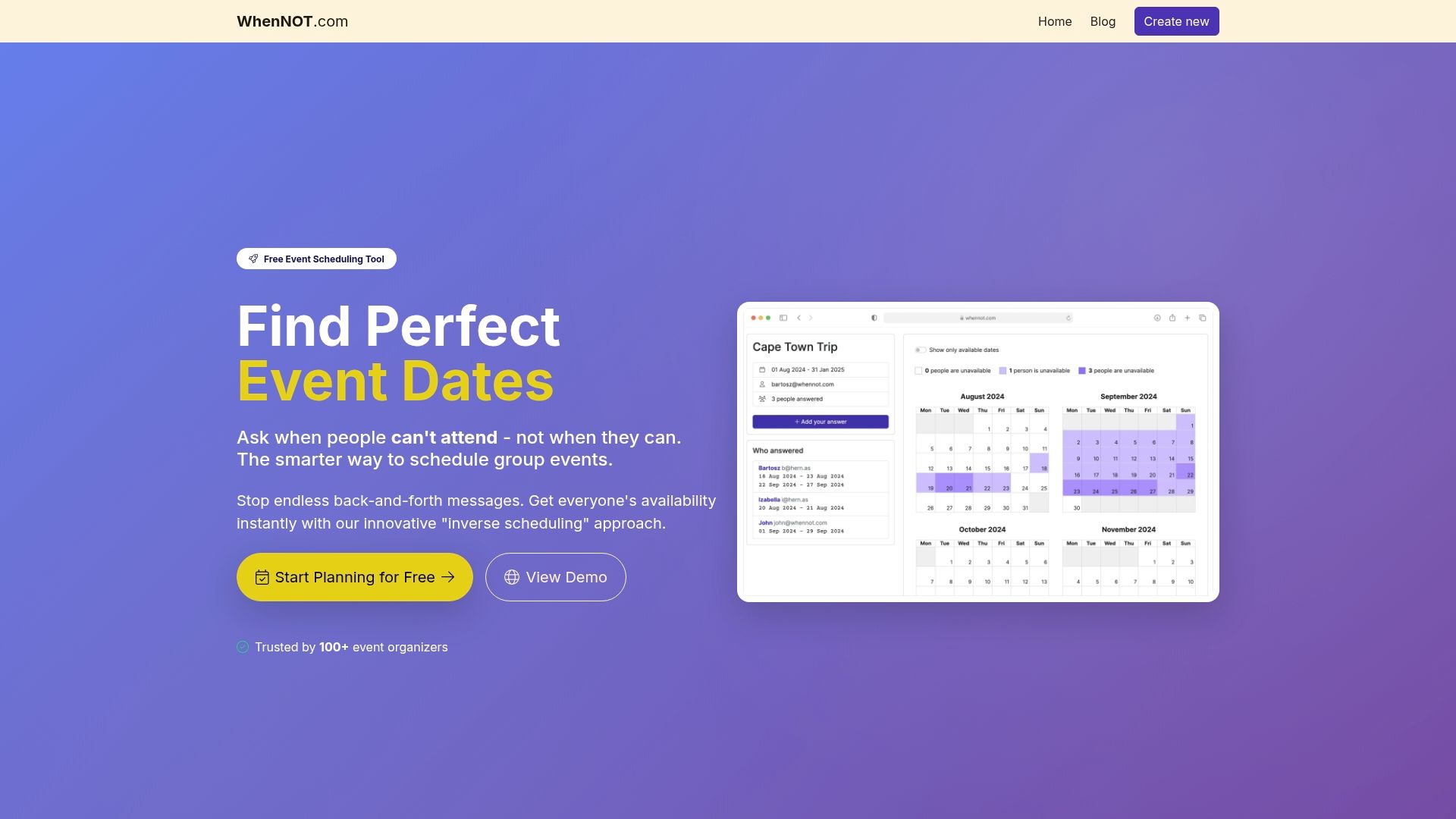
WhenNOT is a focused, free scheduling tool that flips the usual approach: instead of asking when people are free, it asks when they are not. That inverse scheduling method makes it much faster to find suitable dates for multi-day or flexible events, especially when dozens of participants are involved. No registration, strong privacy, and a shareable link-based workflow keep the process simple and low-friction. Bottom line: if you need to coordinate dates — not minute-by-minute time slots — WhenNOT gets you from question to answer in minutes.
Core Features
WhenNOT’s core capability is its inverse scheduling approach that asks participants to mark unavailable dates rather than available ones. Organizers create an event, define a potential date range, and share a unique link; participants mark days they cannot attend without signing up or creating accounts. The platform visualizes everyone’s busy days concurrently, making conflicts and sweet spots immediately apparent. It supports multi-day, flexible events like retreats, vacations, and conferences, uses industry-standard encryption for data security, and emphasizes privacy by not sharing participant data. Design choices intentionally focus on date-range coordination rather than time-slot minutiae, which streamlines planning for many group events while sacrificing fine-grained intraday scheduling.
Pros
- Saves time with a quick and easy scheduling process, because participants only indicate when they are not available rather than juggling multiple availability options.
- No sign-ups or account creation needed for participants, which removes onboarding friction and increases response rates.
- Completely free to use with unlimited events and participants, so organizers can run many plans without worrying about paywalls.
- Secure and privacy-focused with industry-standard encryption, meaning sensitive scheduling information stays protected.
- Ideal for multi-day and flexible events, as the interface is built to surface overlapping availability across date ranges quickly.
Who It's For
WhenNOT is ideal for organizers planning multi-day group events who want an easy, efficient way to find suitable dates without forcing participants to register or share personal data. That includes family reunion planners, trip coordinators, community group leaders, and HR or operations teams arranging retreats or training sessions. If your priority is finding the right date window for a group of people — fast — this tool was built for you.
Unique Value Proposition
WhenNOT’s unique value is its inverse scheduling paradigm combined with a privacy-first, zero-friction participant experience. By inverting the question to “when are you not available,” it collapses long email threads and repeated polls into a single, visual snapshot of conflicts. Participants need only mark unavailable days via a shared link, and organizers immediately see aggregated busy days, so the optimal date emerges visually rather than through manual tallying. It’s also 100% free forever, with no hidden costs, and uses industry-standard encryption to protect entries. That combination — fast date resolution, universal accessibility (no accounts), strong privacy, and free access — positions WhenNOT as a superior choice for any organizer who values speed, simplicity, and data protection over complex feature bloat.
Real World Use Case
A mid-size company planning a three-day retreat sent a WhenNOT link to 60 employees; within 48 hours everyone had marked their unavailable days and HR identified the best three-date window without a single back-and-forth email thread.
Pricing
100% free forever, no hidden costs or premium plans.
Website: https://whennot.com
Doodle
At a Glance
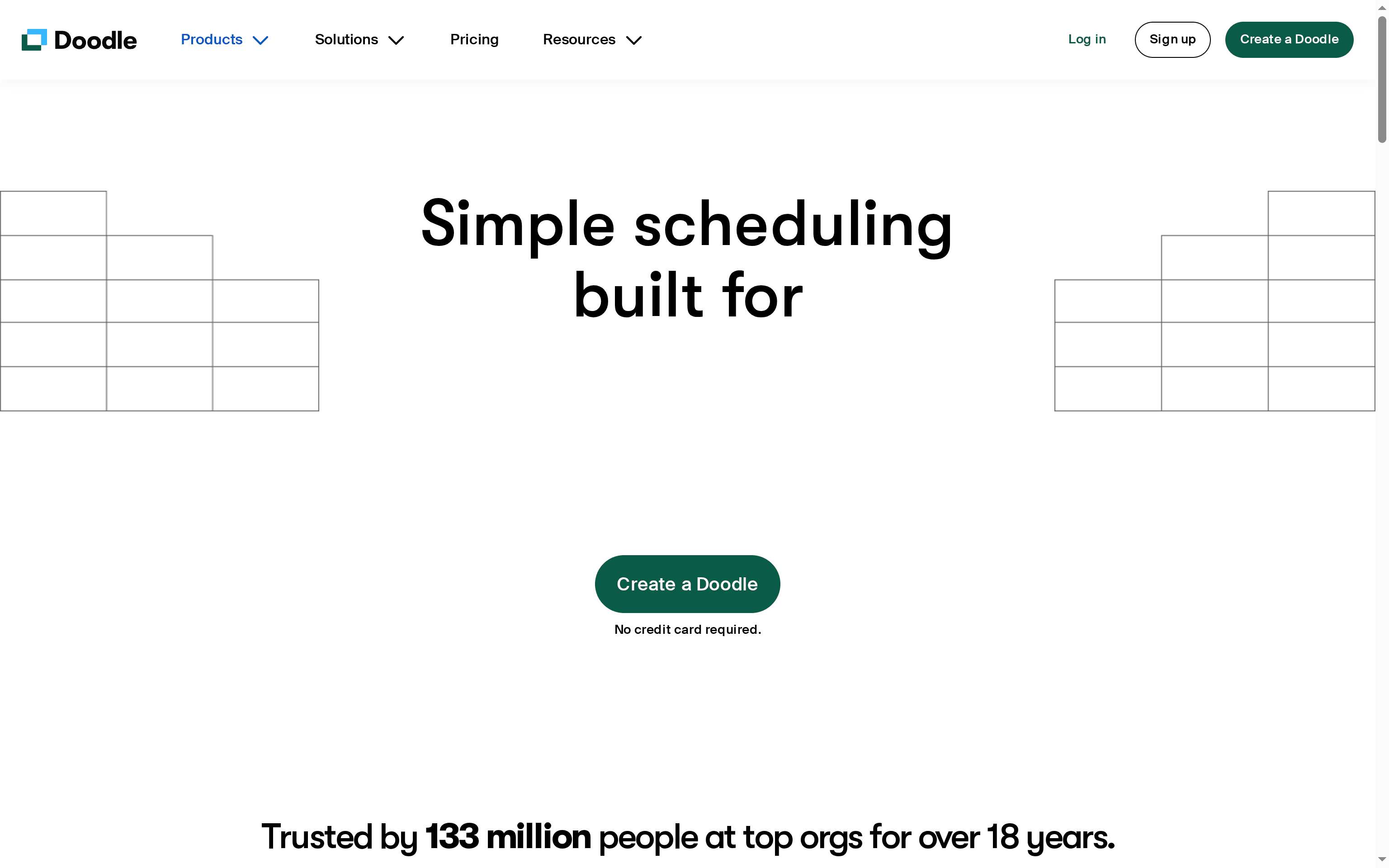
Doodle is a mature scheduling platform that helps groups find the best time for meetings and events without the usual email back-and-forth. With 18 years in the market and 133 million users, it emphasizes professional branding, security, and broad integrations. It’s fast for setting up polls and booking pages, but some advanced functionality may sit behind paid tiers and the site requires JavaScript to work properly. If you need polished booking pages and enterprise-level integrations, Doodle delivers — with a few trade-offs.
Core Features
Doodle focuses on simple scheduling workflows and branded booking pages that give meetings a professional feel. Key capabilities include straightforward time polling for groups, booking pages for one-on-one appointments, secure payments and invoicing integrations, and connectors for Zoom, Outlook, Google Calendar, Microsoft Teams, Webex, and Zapier. The company also positions itself to accelerate complex meeting setups — claiming faster booking for multi-person events — while offering enterprise-grade security to meet organizational requirements.
Pros
- User-friendly interface: The platform is designed so organizers and participants can create and respond to polls quickly without a steep learning curve.
- Large, trusted user base: With many years of operation and millions of users, Doodle has proven stability and broad adoption.
- Professional branded booking pages: You can present clients and partners with polished booking pages that reflect your organization’s image.
- Secure, enterprise-level security features: The product emphasizes security and integrations that larger teams or regulated organizations will appreciate.
- Solid integrations with popular tools: Native connectors to common calendar and meeting tools streamline scheduling into existing workflows.
Cons
- Requires JavaScript to work properly: Users with restricted browsers or strict device policies may face functionality issues because the site depends on JavaScript.
- Some advanced features may require paid plans: The data indicates certain capabilities are gated behind paid tiers, which can limit access for casual or budget-conscious users.
- Limited pricing transparency on the page: The information provided does not include detailed pricing or plan comparisons, making it harder to evaluate total cost before trying the service.
Who It's For
Doodle fits individuals, teams, and organizations that need a reliable, polished scheduling solution with strong integrations and security. It’s especially useful for professionals who want branded booking pages, teams coordinating recurring meetings and workshops, and organizations that require invoice or payment options tied into appointments.
Unique Value Proposition
Doodle’s strength lies in turning scheduling friction into a professional, branded experience while integrating securely with the tools businesses already use. Its long track record and large user base signal reliability, and the combination of booking pages plus payment and calendar integrations positions it as an all-in-one scheduling hub for teams.
Real World Use Case
A marketing team uses Doodle to coordinate weekly check-ins and external client calls; they share branded booking links with clients, collect fees or invoicing where needed, and let integrations sync confirmed events into team calendars so nobody double-books.
Pricing
Try it free; specific plans and pricing details are not provided on the page, so you’ll likely need to start a trial or contact sales to see which paid features you’ll need.
Website: https://doodle.com
when2meet
At a Glance
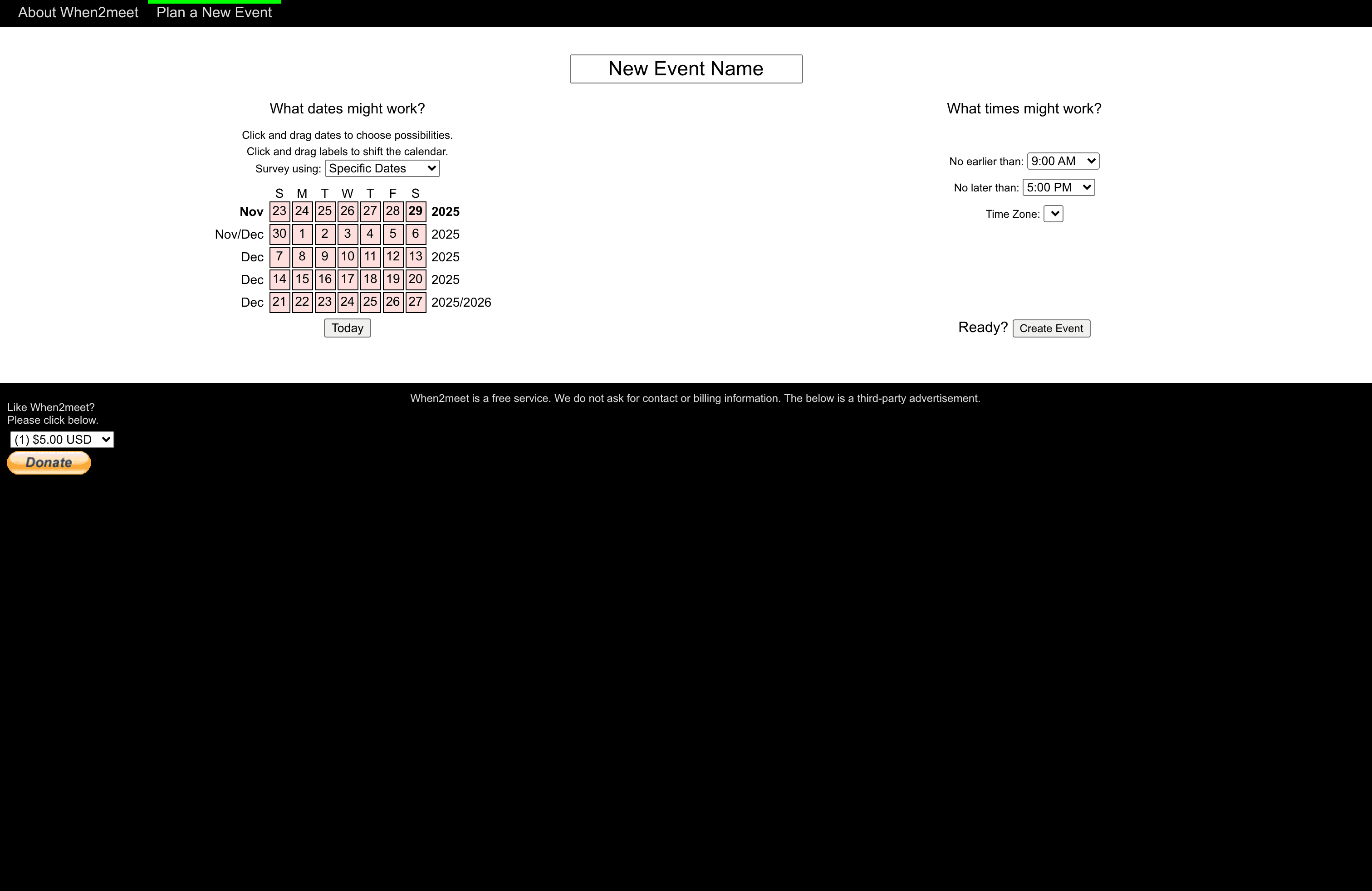
when2meet is a straightforward, no-friction scheduling tool that helps groups find mutually acceptable dates and times using an interactive calendar. It shines when you need a fast, free way to gather availability without forcing participants to create accounts. That speed comes with trade-offs: the interface is simple and ad-supported, and advanced features may require payment.
Core Features
when2meet centers on an interactive calendar where organizers set date ranges and participants mark their availability. You can drag and shift blocks of time, plan multiple date ranges and time slots, and visualize overlaps to quickly identify the best windows. The tool operates on a single time zone for all participants, which simplifies setup but may require extra care for teams across multiple zones. The base service is free and requires no contact or billing information, though optional paid upgrades exist.
Pros
- Visual, easy-to-use interface: The calendar grid makes availability patterns visible at a glance, reducing the back-and-forth that comes with email or chat polls.
- No registration required for basic use: You can create and share an event link immediately, so reluctant participants can respond without signing up.
- Flexible scheduling controls: Drag-and-drop adjustments let you tweak ranges and times quickly, which saves time when juggling multiple possible dates.
- Free service with minimal barriers: Because it doesn’t require billing details for the free tier, you can test the tool or run one-off events without commitment.
Cons
- Basic functionalities are free, but advanced features may require payment. This means consistent or power users might need to upgrade to access additional conveniences.
- Displays third-party advertisements which might affect user experience. Ads can be distracting, and they may reduce perceived polish for family or professional events.
- Single time zone for all participants can cause friction. If attendees are scattered across regions, organizers must manually account for time differences to avoid confusion.
Who It's For
when2meet is best for individuals, families, small groups, and informal teams that need a fast, low-friction way to find common meeting times. It’s ideal when you want a quick consensus without onboarding attendees or collecting personal data. If you organize occasional events, family reunions, or simple weekly syncs, when2meet will likely save you time.
Unique Value Proposition
The strength of when2meet is its simplicity and speed: create an event, share a link, and watch availability map out visually. Its no-registration approach lowers the barrier for participation, making it especially useful for groups where not everyone wants another account. If you value a quick answer over complex features, this is the tool you reach for.
Real World Use Case
A remote team uses when2meet to pick the best date for a quarterly planning session by sharing a link and letting members mark unavailable days; the organizer quickly identifies the window with the fewest conflicts and schedules the meeting without long email threads.
Pricing
Free to use; optional paid plans are available, with entry-level paid options listed from $5.00 USD per use.
Website: https://when2meet.com
Cozi
At a Glance
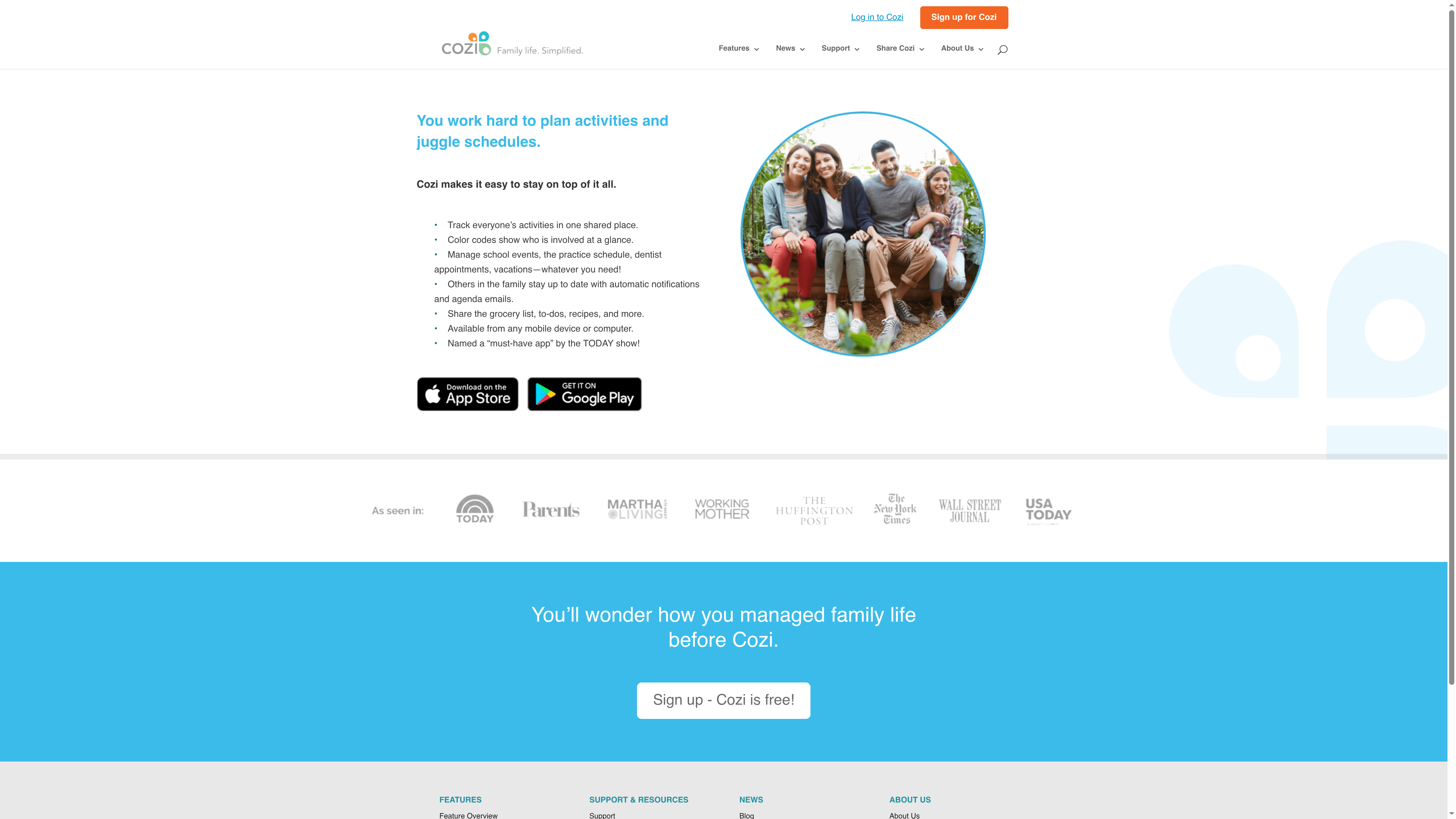
Cozi is a straightforward family organizer app built to keep every family member on the same page. It combines a shared calendar, color-coded profiles, and list sharing in a single, free platform that works on phones and computers. Because sign-up requires only an email, families can get started quickly and begin coordinating events, chores, and meals within minutes. It’s best when you want a low-friction, central place for schedules and lists rather than complex project management features.
Core Features
Cozi centers on a shared family calendar with color coding for each member, so appointments and activities are visually distinct at a glance. Automatic notifications and daily agenda emails keep everyone informed of upcoming events, while shared grocery lists, to-do lists, and recipe storage streamline meal planning and errands. The app is accessible from both mobile devices and computers, and it handles scheduling for school events, appointments, vacations, and recurring family activities.
Pros
- Easy to set up and use: The sign-up requires only an email and agreement to terms, so families can start organizing immediately without complex onboarding.
- Accessible across devices: Cozi works on mobile phones and computers, allowing each family member to view and edit schedules from the device they use most.
- Efficient family coordination: The shared calendar with color coding helps households reduce double-bookings and overlap by making individual commitments easy to spot.
- Shared lists and recipes simplify chores: Grocery, to-do, and recipe sharing reduce back-and-forth messages and make meal planning and shopping more collaborative.
- Free and widely recommended: Being free to use and recognized as a top family organizer gives it a low barrier to trial for any household.
Cons
- Requires internet connection for syncing: The app depends on an online connection to sync changes across devices, which limits offline usability.
- Some advanced features may be behind a premium plan: The data notes that certain advanced capabilities could require payment, which creates uncertainty about the full feature set available for free.
- Limited detail on customization options: The available information does not specify deep customization for calendars or alerts, so power users may find the personalization limited.
Who It's For
Cozi is ideal for parents and caregivers who want a simple, reliable place to coordinate schedules, grocery lists, and family tasks without complicated setups. It suits busy households juggling school events, sports practices, and shared errands, especially when the priority is ease of use and quick adoption by all family members.
Unique Value Proposition
Cozi’s strength is its focused simplicity: a free, shared family hub that combines calendar, lists, and meal planning in one accessible package. Its color-coded family calendar and automatic agenda emails reduce coordination friction, making it a practical choice for families that need clarity more than bells and whistles.
Real World Use Case
A parent uses Cozi to add school events, mark recurring sports practices, and maintain a shared grocery list; the spouse and older children receive agenda emails and push notifications so everyone arrives on time and the pantry stays stocked.
Pricing
Cozi is free to use, allowing families to access calendars, lists, and basic coordination tools without subscription fees. Sign-up requires an email and acceptance of terms and privacy policies.
Website: https://cozi.com
FamilyWall
At a Glance
FamilyWall is a comprehensive family organization app that brings schedules, shopping, meal planning, messaging, and location into a single place. It shines at consolidating everyday family life so tasks, appointments, and memories are visible to everyone who needs them. The interface works across phones and desktop, which makes coordination feel immediate rather than scattered across texts and sticky notes. If you want one hub for calendars, lists, and quick check-ins, FamilyWall delivers.
Core Features
FamilyWall combines a shared calendar for activities and appointments, shopping lists and to-do management with automatic updates, household budgeting and expense tracking, a meal planner for weekly menus and recipes, private photo and video sharing, real-time location tracking with safe-zone alerts, an integrated family messenger for texts and media, and the ability to create multiple private groups for family, friends, or neighbors. All features sync across devices so entries you add on your phone appear on the desktop and vice versa.
Pros
- Centralizes family organization tools: FamilyWall puts calendars, lists, budgets, and photos in one place so you stop hopping between apps.
- Accessible across devices: The app functions on iPhone, Android, and desktop, making it easy for parents and kids to stay in sync whether they’re at home or on the go.
- Enhances communication and coordination: Built-in family messaging and automatic list updates reduce back-and-forth texts and missed tasks.
- Secure and private sharing: Photo and video sharing is designed for private family use rather than public social feeds, which helps preserve intimate moments.
- Useful for chores and emergencies: Location tracking and shared task lists let families manage everyday chores and respond quickly during urgent situations.
Cons
- Requires smartphone or desktop access to use all features: If a family member lacks a compatible device, they’ll miss updates and features.
- Some features need internet connection for synchronization: Offline use is limited, so syncing and safe-zone alerts rely on connectivity.
- Potential privacy concerns with location sharing: Real-time tracking and safe-zone alerts are powerful, but they require explicit family trust and careful settings management.
Who It’s For
FamilyWall is ideal for families who want a single, private hub for organizing schedules, grocery runs, meals, and moments. It fits multi-device households—parents coordinating work, kids juggling activities, and caregivers tracking chores—where everyone benefits from shared visibility and fewer miscommunications.
Unique Value Proposition
FamilyWall’s strength is its breadth: it’s not just a calendar or a chat app, it’s a family operating system that blends planning, communication, and location awareness. That combination reduces friction in everyday coordination and keeps both logistics and memories in one private space.
Real World Use Case
A busy household uses FamilyWall to manage soccer practices and dentist appointments on a shared calendar, split grocery lists for two stores, plan weekly dinners in the meal planner, share weekend photos privately, track a child’s walk home from school with safe-zone alerts, and settle who pays which bill through shared budgeting.
Pricing
Free app download with in-app purchases available for additional features and upgrades.
Website: https://familywall.com
SignUpGenius
At a Glance
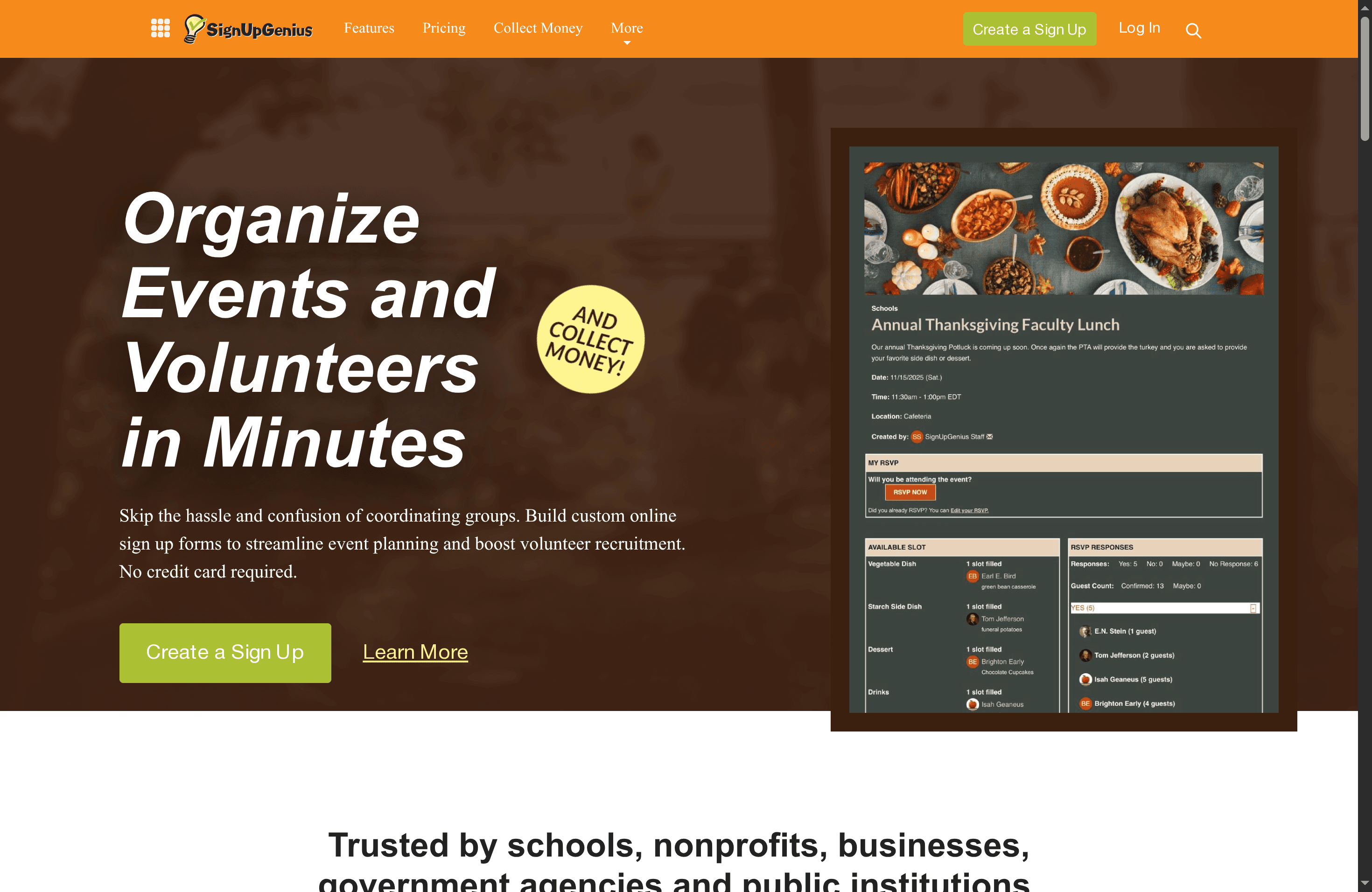
SignUpGenius is a practical, institution-ready platform for organizing events and managing volunteers that gets you started without a credit card. It excels at custom online sign-up forms, automated confirmation and reminder emails, and scaling to large sign-ups with multiple administrators. While the basic plan covers many common needs, several useful capabilities are gated behind paid tiers and costs can rise for bigger organizations. Overall, it’s a reliable choice for schools, nonprofits, and businesses that need straightforward volunteer coordination and event sign-ups.
Core Features
SignUpGenius focuses on streamlined sign-up creation and volunteer coordination: you can build custom online sign-up forms, embed them on websites, and schedule start/stop dates for registrations. The platform automates confirmation and reminder emails to reduce manual follow-up, supports custom design themes and branding, and lets multiple administrators manage large-scale sign-ups with tailored questions. It also supports collecting money and selling tickets, though that functionality carries a per-transaction fee.
Pros
- User-friendly and easy to navigate: The interface is designed so organizers can create and publish sign-ups quickly without a steep learning curve.
- Versatile for different event types and sizes: From small classroom needs to school-wide volunteer efforts, the platform adapts to a wide range of scenarios.
- Offers a range of plans suited for individuals to large organizations: Free and paid tiers give teams options as their needs grow.
- Automation features save time and effort: Built-in confirmation and reminder emails reduce no-shows and repetitive messaging.
- Customization options for branding and event management: Themes and custom questions allow events to reflect organizational identity and specific information needs.
Cons
- Some features only available in paid plans: Key capabilities that larger organizers may need are restricted to paid tiers.
- Pricing can be expensive for large organizations: Costs scale up, and enterprise features require custom pricing that may be significant for big programs.
- Limited detailed information on integrations in the basic plan: Basic users might find integration options unclear or limited compared to paid plans.
Who It's For
SignUpGenius is ideal for individuals or organizations that want an easy-to-use solution for event coordination, volunteer management, or fundraising. It’s particularly well suited to schools, nonprofits, businesses, and public institutions that need reliable sign-ups, straightforward administration controls, and branded registration forms without a complex setup process.
Unique Value Proposition
SignUpGenius combines simplicity with institution-grade features: custom sign-up forms, administrator roles for large events, and automated communications make it a focused tool for volunteer-driven and community events. The ability to embed forms and sell tickets (with transaction fees) positions it as an all-in-one organizer for recurring and one-off events.
Real World Use Case
A school can use SignUpGenius to coordinate parent volunteers for field trips by managing sign-ups for transportation, chaperones, and supplies. Automated reminders and multiple administrator access streamline coordination, cut down on email back-and-forth, and keep records organized.
Pricing
Offers a free basic plan; paid plans start from $8.99 per month for Starter, up to $44.99 per month for Premium, with custom enterprise options available.
Website: https://signupgenius.com
Rallly
At a Glance
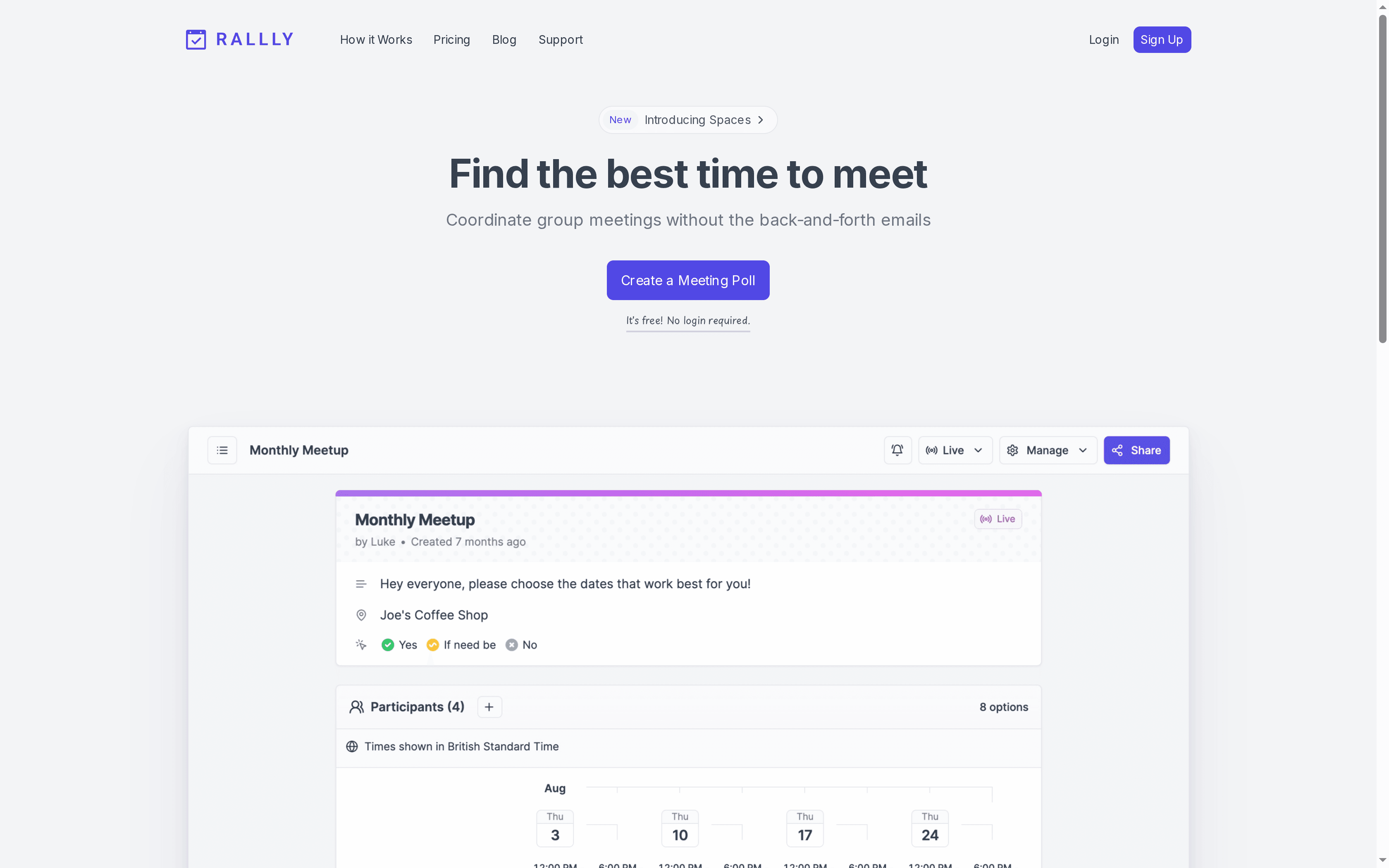
Rallly is a straightforward poll-based scheduler that removes the back-and-forth of email threads by letting participants mark their availability in a shared poll. It works without forcing people to create accounts for basic use and supports multiple languages, which makes it accessible for diverse groups. For teams that need quick, low-friction scheduling and are comfortable with a poll-style workflow, Rallly delivers efficient results; power users will want to evaluate the paid tiers for longer poll retention and advanced features.
Core Features
Rallly’s core capability is creating and sharing meeting polls quickly so groups can find the best time to meet without long email chains. The tool supports multiple languages, accommodates large groups and professional use, and allows basic interactions without a login. Polls are set to automatically delete once they become inactive unless you upgrade, helping keep your workspace uncluttered. Multiple plans are available: a permanently free tier for core functionality and paid plans that add features and extended poll retention.
Pros
- No account required for basic use: You can set up and share polls without forcing participants or organizers to sign up, which reduces friction and speeds scheduling.
- Suitable for large groups and professional contexts: Rallly handles many participants, making it practical for organizations and social groups alike.
- Free access to essential features: The free forever tier provides reliable core functionality for casual scheduling needs.
- Automatic cleanup of inactive polls: Polls that go inactive are removed automatically unless you upgrade, which keeps your list of events tidy.
- Multilingual support: Built-in language options make the tool usable across language barriers and for international groups.
Cons
- Advanced features require payment: Features beyond the basics—such as longer poll retention and enhanced options—are gated behind paid plans, which may be necessary for recurring or complex coordination.
- Polls expire after 30 days of inactivity unless upgraded: If you need long-term records or ongoing event threads, the default inactivity deletion can be limiting.
- Limited customization compared to some schedulers: Rallly focuses on simplicity, which means fewer customization options for layout, reminders, or integrations than some alternatives.
Who It's For
Rallly is ideal for casual users, large group coordinators, and professionals or organizations that need a fast, low-friction way to agree on meeting times. If you organize community events, weekly team check-ins, or ad-hoc social gatherings and prefer a simple poll format over calendar invites and integrations, Rallly fits naturally into that workflow.
Unique Value Proposition
Rallly’s standout value is its simplicity: a poll-driven approach that minimizes setup, removes the need for widespread account creation, and supports multiple languages. That combination makes it especially useful when speed and accessibility matter more than deep customization.
Real World Use Case
A team of colleagues uses Rallly to find an optimal time for a weekly meeting, avoiding long email chains and ensuring everyone can indicate availability quickly — then lets the poll close and automatically clean up inactive entries.
Pricing
Free forever for basic features; paid plans start at $56 for 4 months and include additional features and extended poll retention.
Website: https://rallly.co
Sling by Toast
At a Glance
Sling by Toast is a workforce management platform focused on employee scheduling, communication, time tracking, and labor-cost oversight. It offers a free core scheduling tier for teams up to 30 users and mobile apps for on-the-go management. For small to medium businesses that need one place to build shifts, share messages, and track hours, Sling delivers strong value — though advanced capabilities sit behind paid plans. In short: comprehensive for businesses, possibly more than a typical family needs.
Core Features
Sling centralizes shift creation, time-off requests, availability, and shift trades while adding team communication tools like private messaging and group news. Time and attendance are tracked with features such as GPS geofencing, auto clock-out, and kiosk clock-in/out. Managers can monitor labor costs in real time, run overtime analysis, and generate payroll reports. Task management includes shift-specific checklists, long-term scheduling, and reusable shift templates. Web, iOS, and Android support keep staff connected across devices.
Pros
- Streamlined scheduling saves time: Sling’s scheduling and shift templates reduce administrative work, helping managers produce consistent weekly rosters faster.
- Built-in communication keeps teams aligned: Private messages, group conversations, and news sharing cut down on fragmented texts and voicemail threads.
- Robust time tracking protects labor accuracy: GPS geofencing, auto clock-out, and kiosk options minimize buddy-punching and improve payroll confidence.
- Cross-industry flexibility: The platform adapts to restaurants, retail, hospitality, and other service businesses, making it useful across different team structures.
- Free tier for small teams: Core scheduling features are free for up to 30 users, which lowers the barrier for small operations to try the product.
Cons
- Advanced tools require payment: Many integrations and higher-level features are gated behind premium plans, which means the full value requires ongoing spend.
- Feature set can feel complex: The breadth of capabilities may overwhelm very small teams or first-time users who want a simpler, lighter tool.
- Selective availability of integrations: Certain integrations and advanced features are only unlocked on paid plans, limiting functionality for users on the free tier.
Who It's For
Sling is best for small to medium-sized businesses that schedule hourly staff regularly — think restaurants, cafes, retail stores, and hotels. If you manage multiple shifts, need accurate labor cost tracking, and want a single app for scheduling plus team communication, Sling fits well. It’s less tailored for families unless a household needs professional-style shift coordination.
Unique Value Proposition
Sling combines scheduling, communication, timekeeping, and labor-cost visibility in one platform with native mobile apps, and it lets small teams start for free. That integrated approach reduces reliance on separate tools and spreadsheets, centralizing operations for hourly workforces.
Real World Use Case
A restaurant owner uses Sling to draft weekly schedules from templates, publish shifts to staff phones, accept time-off requests, track clock-ins via kiosk or GPS, and run labor reports before payroll — all without juggling multiple spreadsheets or text chains.
Pricing
Free for up to 30 users with core features; Premium plans start at $1.70 per user per month, and Business plans at $3.40 per user per month, with additional features and a 15-day free trial.
Website: https://getsling.com
Scheduling Tools Comparison
This table provides a comprehensive comparison of different scheduling tools, highlighting their key features, pros, cons, pricing, and usability to help you choose the best option for your needs.
| Product | Key Features | Pros | Cons | Pricing |
|---|---|---|---|---|
| WhenNOT | Inverse scheduling, multi-day events, no registration | Quick setup, secure, privacy-focused, free | Limited to date-range coordination | 100% free |
| Doodle | Professional branding, calendar integrations, booking pages | User-friendly, trusted, professional interface, integrations | Advanced features require payment | Free trial, paid plans available |
| when2meet | Interactive calendar, drag-and-drop adjustments, single time zone | Simple, no registration, flexible scheduling | Ads, single time zone, advanced features paid | Free, optional paid upgrades |
| Cozi | Shared family calendar, list sharing, recipe storage | Easy setup, cross-device, family coordination | Internet connection required, some features behind a paywall | Free, premium features available |
| FamilyWall | Shared calendar, list management, location tracking | All-in-one family hub, secure sharing, multi-device support | Privacy concerns with location sharing | Free with in-app purchases |
| SignUpGenius | Custom sign-ups, automated emails, multiple administrators | User-friendly, versatile, automation saves time | Paid plans needed for more features | Free basic, paid plans from $8.99 |
| Rallly | Poll-based scheduler, multilingual support, automatic cleanup | No account needed, suitable for large groups, free core features | Advanced features require payment | Free, paid plans from $56 |
| Sling by Toast | Employee scheduling, communication, time tracking, labor-cost tracking | Streamlined scheduling, built-in communication, robust time tracking | Advanced tools require payment, feature complexity | Free for up to 30 users, paid plans start at $1.70 |
Simplify Family Scheduling with WhenNOT
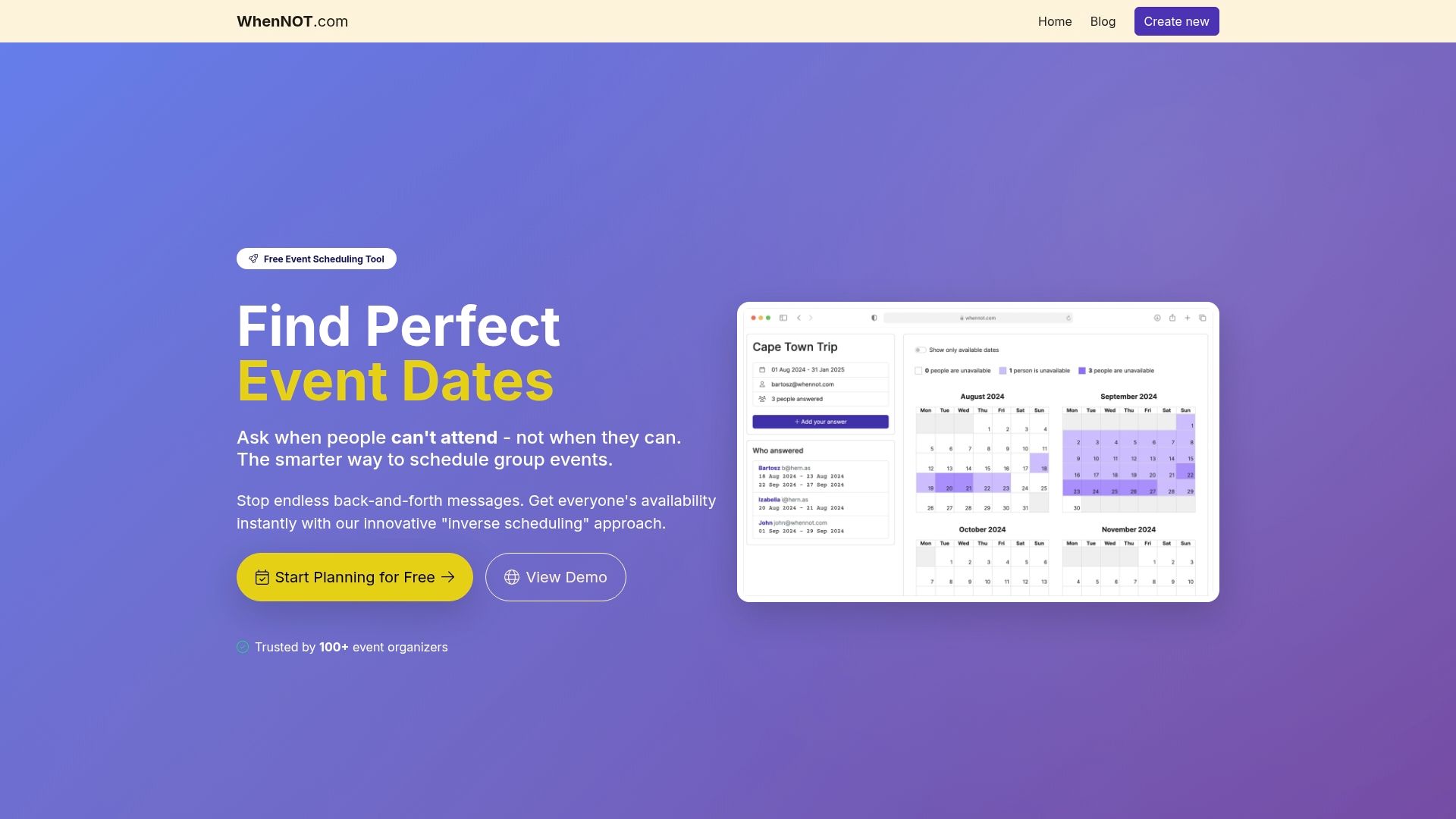
Coordinating family events and gatherings often means juggling multiple calendars and endless back-and-forth messages. As the article "Best 8 Scheduling Tools for Families – Expert Comparison 2025" highlights, finding a time that works for everyone, especially for multi-day occasions, is a constant challenge. The key pain points many face include managing availability without overwhelming participants, avoiding forced sign-ups, and quickly identifying the best dates without confusion. WhenNOT directly addresses these frustrations by asking your family members when they are not available rather than when they are free. This inverse scheduling approach drastically reduces planning time and keeps everyone engaged without creating accounts or navigating complicated setups.
With WhenNOT, you gain a private, easy-to-use, and cost-free platform that visualizes everyone’s unavailable dates together so the perfect window emerges instantly. If your goal is to streamline family coordination while safeguarding privacy and cutting through scheduling chaos, discover how WhenNOT works as your trusted companion. Make your next family reunion, vacation, or gathering effortless by creating an event, sharing a simple link, and watching the ideal dates appear at a glance.
Ready to save time and stress on planning your family events? Start now with WhenNOT's free scheduling tool and experience the ease of organizing with no sign-ups or hidden costs.
Frequently Asked Questions
What are the key features to look for in a scheduling tool for families?
When choosing a scheduling tool for families, prioritize features like shared calendars, list management, and availability tracking. Look for tools that offer color-coded profiles for different family members to simplify coordination.
How can scheduling tools help reduce conflicts in family events?
Scheduling tools help reduce conflicts by allowing family members to mark their availability in a shared calendar or a poll. By visualizing everyone’s schedule, you can quickly identify overlapping free times and plan events accordingly.
Are there any scheduling tools that require sign-ups for participants?
Many scheduling tools allow family members to participate without signing up, making them more accessible. Choose tools that provide a simple link for marking schedules without the need for account creation.
How can a scheduling tool improve family communication?
A scheduling tool improves family communication by centralizing important events, deadlines, and tasks in one place. Encourage family members to add upcoming events and reminders, which can be sent via notifications to keep everyone informed.
How do I choose the right scheduling tool for my family’s needs?
Consider your family’s specific needs, such as the number of participants, the need for list sharing, or a focus on event planning. Test a couple of different tools to see which interface works best for your family within a few days of use.
Can scheduling tools help with meal planning and grocery lists?
Yes, some scheduling tools include features for meal planning and grocery lists along with their calendar functions. Look for tools that offer shared lists to facilitate meal prep and grocery shopping among family members.