
Trying to pick a date that works for everyone can feel like a puzzle with too many pieces. Different schedules, last minute changes, and group messages that seem endless. There is a world of tools designed to make this process smoother, letting groups lock in plans with less back and forth. Some keep things simple with quick polls. Others bring in unique ways to collect when people are busy or even help plan around big ranges of dates. These platforms each have their own way of solving the common pain points of group planning. The smartest choice depends on the kind of event, how many people are involved, and what workflow feels best for you.
Table of Contents
WhenNot
At a Glance
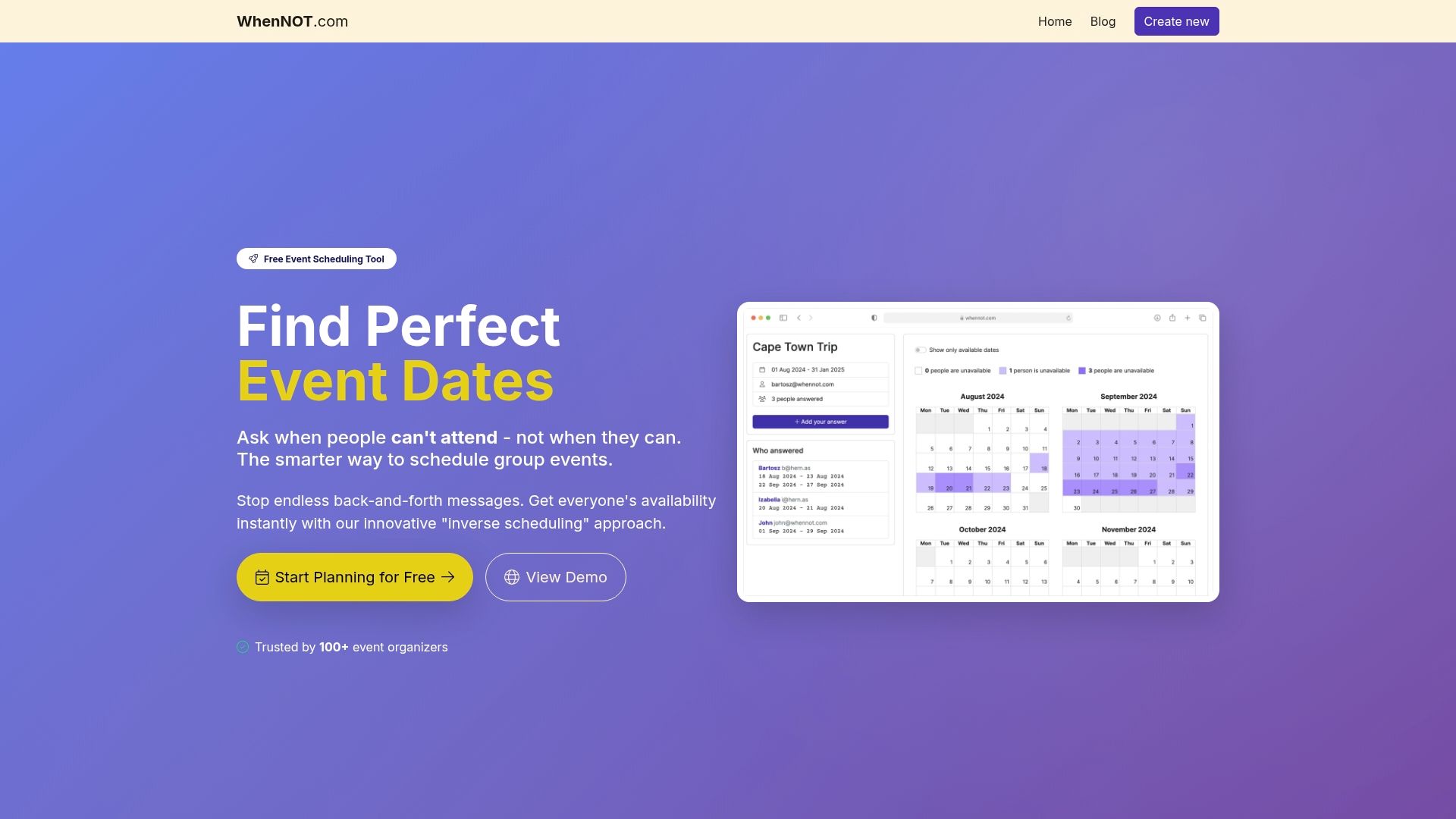
WhenNot is a purpose-built, free scheduling tool that flips the usual process on its head: instead of asking when people are free, it asks when they are not. That inverse scheduling method makes multi-day and flexible-date planning far quicker and less painful, especially for family gatherings, group trips, and corporate retreats. No signups, strong privacy safeguards, and a single shared link mean less back-and-forth and faster decisions. If your event spans days or has flexible windows, WhenNot delivers a clean, low-friction workflow.
Core Features
WhenNot centers on an inverse scheduling approach that asks participants to mark dates they cannot attend rather than times they can—ideal for multi-day events and flexible ranges. Organizers create an event, set a potential date range, and distribute a single shared link so participants can mark unavailable dates without registering. The platform visualizes everyone’s busy days concurrently so you can quickly identify the clearest windows. Emphasis on simplicity, accessibility, and privacy—plus industry-standard security—keeps setup fast and data safe.
Pros
- Saves time by reducing back-and-forth emails and group chats, enabling faster consensus on dates.
- Easy for participants to use without sign-up, lowering friction and improving response rates.
- Completely free to use with no hidden costs or premium tiers, making it budget-friendly for any organizer.
- Secure and private, using industry-standard encryption to protect participant data.
- Versatile across event types and group sizes, from family reunions to corporate retreats and group travel.
Who It's For
WhenNot is tailored for organizers who need a fast, frictionless way to coordinate multi-day or flexible-date events without forcing people to create accounts. That includes family members planning reunions, trip leaders arranging long weekends, HR teams choosing retreat dates, hobby groups scheduling multi-day workshops, and any planner who values privacy, speed, and simplicity over minute-by-minute time-slot booking.
Unique Value Proposition
WhenNot’s defining advantage is its inverse scheduling philosophy: by asking only when people cannot attend, it simplifies how groups converge on multi-day dates and eliminates the cognitive overload of scanning for available slots. This approach reduces participant effort—no calendars to sync, no account setup, and one shared link to distribute—so responses come back faster and with less confusion. The product intentionally focuses on range-based planning rather than granular time slots; that design choice trades complexity for clarity, making it superior for events where whole-day availability matters. Combined with a free pricing model and strong privacy protections, WhenNot offers an exceptionally low-friction, secure solution that outpaces traditional availability polls for family gatherings, retreats, and group travel.
Real World Use Case
A distributed team planning a quarterly retreat creates an event in WhenNot, sets a three-week window, and emails the single link to 25 people. Each person marks dates they’re unavailable; the organizer immediately sees overlapping busy days and pinpoints the clearest 3-day window without chasing replies. Planning time collapses from days of emails into a single session.
Pricing
100% free forever, with no hidden costs or premium plans.
Website: https://whennot.com
Doodle
At a Glance
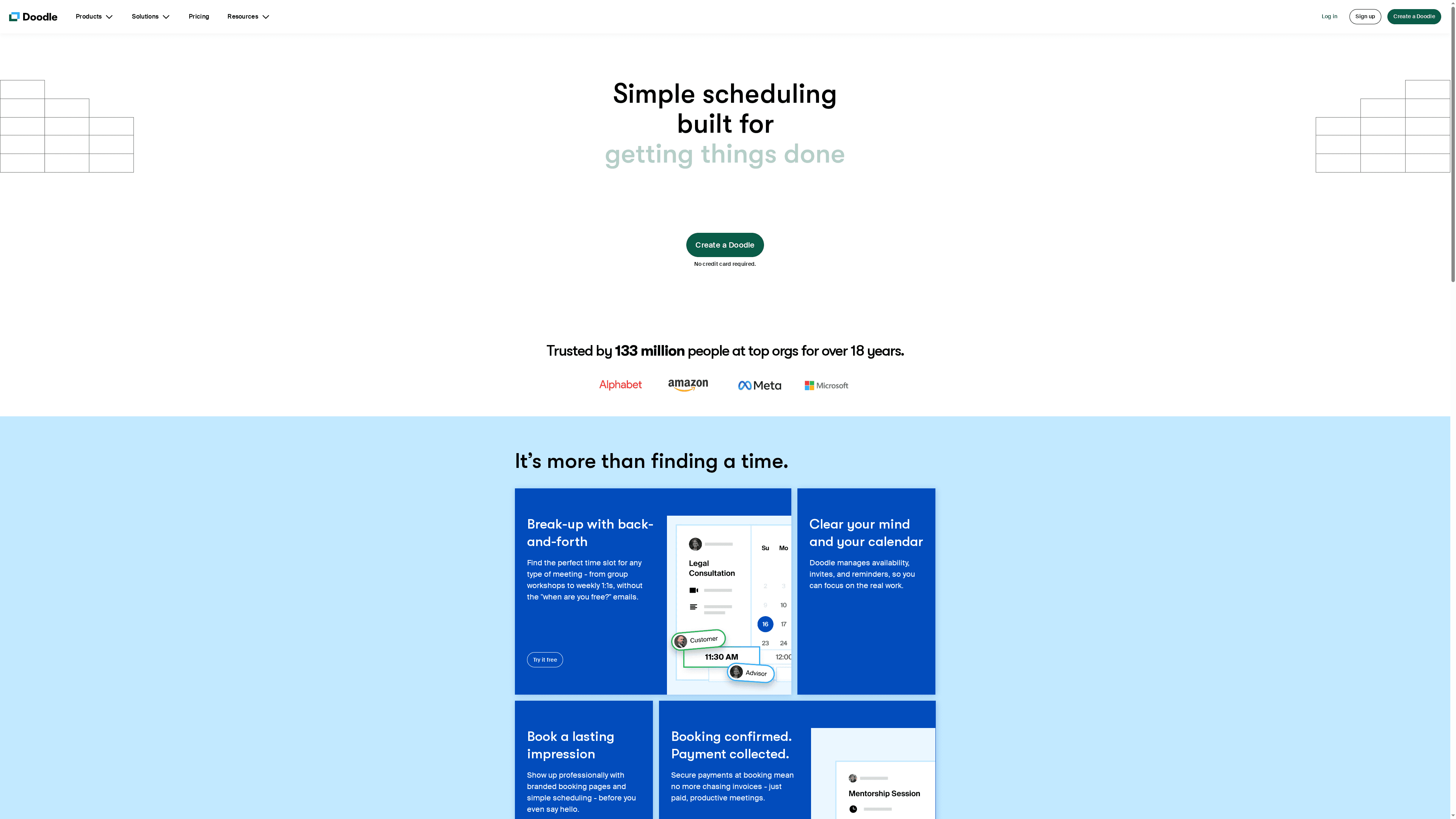
Doodle is a polished scheduling app that removes the email ping-pong and helps you lock in meeting times fast. Trusted by over 133 million people and organizations for more than 18 years, it pairs simple polling-style availability with branded booking pages, secure payment collection, and native calendar and video integrations. Bottom line: Doodle streamlines routine scheduling for individuals and small-to-medium teams, though detailed pricing and large-enterprise customization may require further inquiry.
Core Features
Doodle combines straightforward time-poll scheduling with single-click booking pages that you can brand for a professional look. It supports secure payment collection at booking, making it useful for service-based bookings. Integrations include popular video and calendar tools like Zoom, Outlook, Microsoft Teams, Google Meet, and Webex, and it connects to automation and payment platforms such as Zapier and Stripe. The platform emphasizes ease of use so organizers can create events quickly and sync confirmed slots to calendars without extra manual steps.
Pros
- User-friendly interface: The layout and workflow focus on simplicity, which keeps setup and response rates fast for invitees.
- Multiple integrations with popular tools: Direct connections to calendars and video platforms reduce friction when turning a proposed time into a confirmed meeting.
- Secure payments and organization security: Built-in payment collection and enterprise-grade security options make it practical for paid services and professional bookings.
- Trusted by millions and top organizations: A long track record and a large user base lend credibility and signal reliability for routine scheduling needs.
- No credit card required to try: You can evaluate core functionality without immediate financial commitment, lowering the barrier to test it with your group.
Cons
- Limited detail on premium features and subscription plans: The available information does not clearly outline what advanced capabilities sit behind premium tiers, which makes feature-to-price comparisons harder.
- Potentially less suitable for very large enterprise needs: Organizations with complex, highly customized scheduling workflows may find enterprise-level customization or dedicated support is required beyond standard plans.
Who It's For
Doodle is best for individuals, consultants, small to medium teams, and organizations that need a reliable, professional scheduling tool without a steep learning curve. If you run client appointments, team syncs, or service bookings and value branded pages plus payment collection, Doodle fits well. If you manage a global enterprise with highly bespoke scheduling policies, expect to verify enterprise options before committing.
Unique Value Proposition
Doodle’s strength is its combination of familiar, easy polling-style scheduling with professional booking pages and integrated payments. That mix turns informal availability polling into a polished client-facing booking experience, all while keeping calendar and video confirmations automatic.
Real World Use Case
A consulting firm publishes branded booking pages so prospects can pick consultation slots, pays are collected at booking via secure checkout, and the selected slot auto-populates the consultant’s Outlook calendar and Zoom link. The result: fewer administrative steps and a more professional client experience.
Pricing
Free to try; premium plans likely available for additional features. Exact plan details and enterprise pricing should be confirmed on the vendor site.
Website: https://doodle.com
whenshallwe

At a Glance
whenshallwe is a straightforward event scheduler designed to help busy people find the best day for gatherings by coordinating guest availability. It focuses on simple event creation, sharing proposed dates, and letting guests indicate when they can attend so organizers can pick the most convenient option. The interface emphasizes ease of use and supports both classic and new event formats, making it a practical choice for casual social planning. Bottom line: if you need a no-frills way to gather availability from multiple people quickly, whenshallwe gets the job done.
Core Features
whenshallwe lets you create a new event or access a classic event template, send invites to guests, and share event details and date options. Guests respond by marking which proposed dates work for them, and the organizer can review responses to choose the most convenient date. The flow is intentionally simple: propose dates, collect availability, and pick a date — all on a single platform that keeps communication and responses centralized.
Pros
- Facilitates easy coordination among multiple guests by centralizing availability responses in one place, which reduces back-and-forth messages.
- Streamlines the scheduling process for busy people by focusing on the core steps — propose dates, collect availability, select the best date — without unnecessary complexity.
- Supports various event types and shared planning, so users can handle everything from meetups to small celebrations using the same workflow.
- Offers an intuitive interface for event management and communication, lowering the barrier for guests who just want to respond quickly.
- Includes options for classic and new events, giving organizers a simple way to reuse prior setups or start fresh.
Cons
- Limited information on advanced features or integrations means you may not be able to connect the tool to calendars or task apps you already use.
- No visible detailed pricing or subscription options on the site makes it unclear whether there are paid tiers or feature limits.
- Potential need for account setup or login for full features could create friction for some guests who prefer anonymous responses.
Who It's For
whenshallwe is ideal for individuals or small groups who frequently organize events and want a lightweight, efficient way to find dates that work for everyone. It suits casual organizers — think friends arranging a BBQ, small community groups scheduling meetups, or colleagues setting an informal gathering — who value speed and simplicity over advanced integrations and customization.
Unique Value Proposition
whenshallwe’s value lies in its focused simplicity: it removes extraneous features and concentrates on the crucial task of aligning multiple people’s schedules. That single-minded approach reduces setup time and keeps guest participation straightforward, making it a practical tool when speed and clarity matter most.
Real World Use Case
A group of friends planning a weekend BBQ shares proposed dates through whenshallwe; each person marks the dates they can attend, and the organizer quickly identifies the date with the most availability and confirms plans. The result: fewer messages, less confusion, and a faster booking decision.
Pricing
Not specified on the website.
Website: https://whenshallwe.com
whenshouldwe
At a Glance
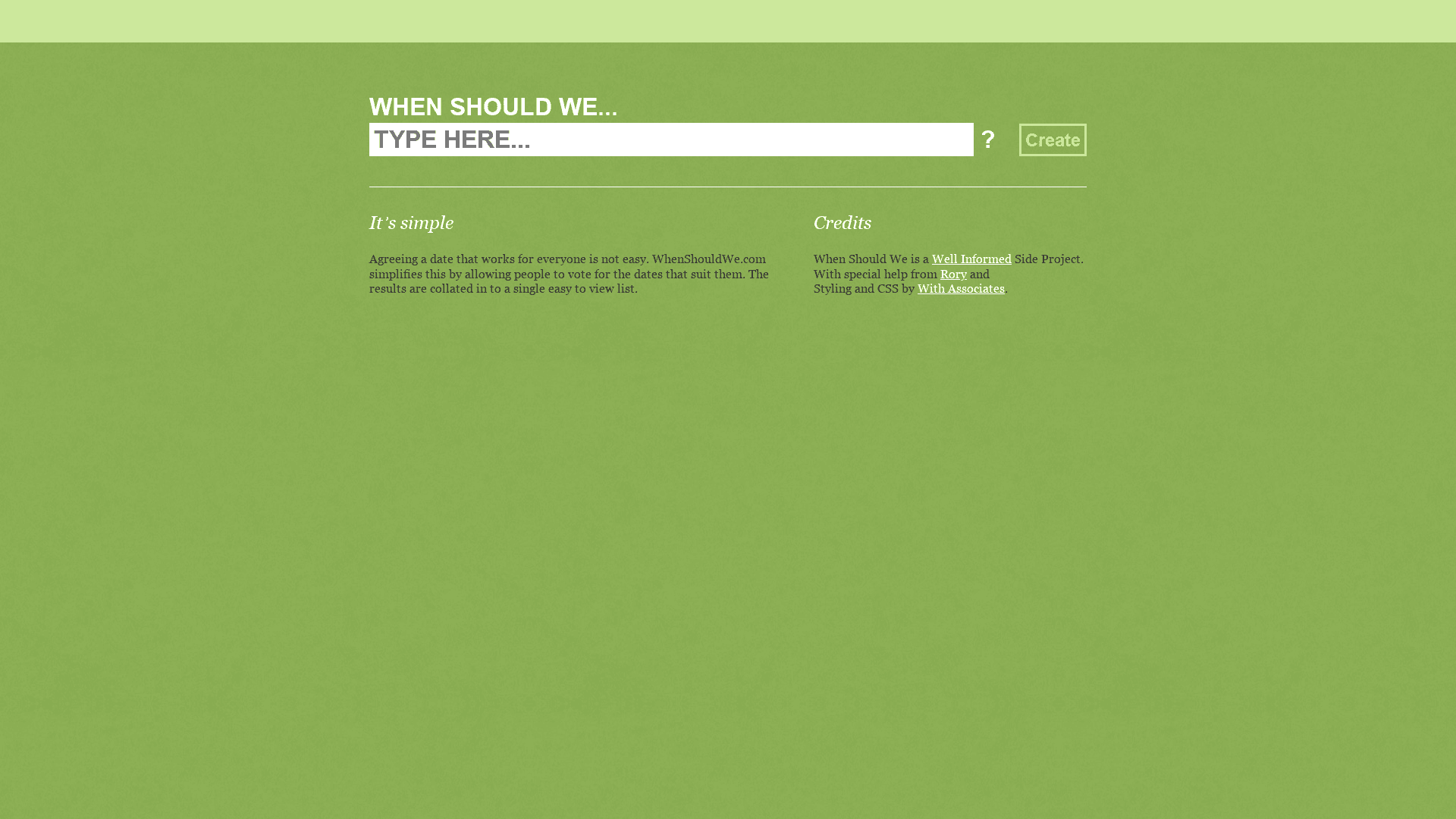
Whenshouldwe is a straightforward, vote-based scheduler that helps groups agree on dates by letting participants mark which options work for them and then collating the results into an easy-to-read list. It’s a focused side project supported by Rory and styled by With Associates, built for simplicity rather than depth. If your goal is quick consensus on a date with minimal friction, this tool gets you there fast. If you need advanced poll customization or granular privacy controls, you may find it limited.
Core Features
Whenshouldwe centers on three core capabilities: letting participants vote for suitable dates, aggregating those votes into a clear, collated results list, and presenting everything through a simple, user-friendly interface. The workflow is intentionally lean—create a poll, share the link, and let people vote. No account creation for participants keeps the barrier low and makes the tool handy for ad-hoc gatherings or groups that don’t want to manage signups.
Pros
- Easy to use for scheduling: The vote-based approach is intuitive, so organizers and participants can complete scheduling tasks with almost no learning curve.
- Efficiently finds common available dates: The collated results make it fast to spot which dates work for the majority, cutting down back-and-forth messaging.
- No registration required for participants: Removing signups lowers friction for casual groups and speeds response rates, which is handy for friends and informal meetups.
Cons
- Limited information on additional functionalities: The product documentation and feature set appear minimal, so power users may find the platform lacking advanced tools.
- Potential privacy concerns with vote collection: Because votes are collected without accounts, there may be limited control over how vote data is stored or associated with identities.
- Lacks customization options for poll settings: There’s no clear way to add complex rules, time windows, or conditional options within polls, which can be restrictive for detailed planning.
Who It's For
Whenshouldwe is best for individuals or groups that need a fast, low-friction way to select a date—think friend groups planning a weekend trip, community organizers scheduling informal meetups, or small teams setting a meeting date. If you value speed and simplicity over advanced scheduling features, this tool fits perfectly. If you require enterprise-level controls, look elsewhere.
Unique Value Proposition
Whenshouldwe’s promise is simplicity: a focused vote-based scheduler that removes signups and visual clutter so groups can agree on dates quickly. Its identity as a knowledgeable side project lends it a lightweight, human-centered design that favors ease of use above feature bloat.
Real World Use Case
A group of friends planning a weekend trip creates a poll, shares the link via a group chat, and watches the collated list reveal the most popular dates within hours—no signup, no spreadsheet, no long message threads. Quick. Clear. Done.
Pricing
Free to use.
Website: https://whenshouldwe.com
Doodle
At a Glance
Doodle is a well-established scheduling app that helps organizers find meeting times without the back-and-forth email chains. Trusted by more than 133 million users for over 18 years, it streamlines availability, invites, reminders, branded booking pages, and secure payments. It’s particularly strong for professional or team use, though some advanced capabilities sit behind paid plans.
Core Features
Doodle focuses on fast, simple scheduling for any meeting type. Core capabilities include easy availability polling, branded booking pages, and integration with major conferencing and calendar tools like Zoom, Outlook, Microsoft Teams, Webex, Google Meet, and iCloud. The platform supports secure online payments through integrations such as Stripe and claims much faster scheduling for complex meetings when using premium features. Doodle also emphasizes enterprise-grade security and compliance for team deployments and does not require a credit card to start.
Pros
- Simple, user-friendly interface: Doodle’s design keeps the scheduling flow straightforward so participants can respond quickly without training.
- Proven at scale: With over 133 million users and nearly two decades in the market, Doodle has a track record that reassures teams and organizations.
- Branded booking pages and payment support: You can present a professional booking experience and accept secure payments through integrations like Stripe.
- Broad conferencing and calendar integrations: Native connections to Zoom, Google Meet, Teams, and major calendars reduce manual setup and cut friction for virtual meetings.
- Time-saving for complex meetings: Doodle highlights faster scheduling—especially for multi-party or recurring arrangements—when premium features are applied.
Cons
- Some advanced features require a paid plan: Several productivity and automation features are gated behind premium tiers, which means the free tier may feel limited for heavy users.
- Limited offline functionality: Doodle relies on online access for polls and booking pages, which reduces usefulness when participants have no internet connection.
- Business-oriented features may not suit casual users: Branded pages and payment processing are helpful for professionals but add complexity that casual family planners might not need.
Who It's For
Doodle is aimed at businesses, teams, and professionals who need reliable, branded, and integrated scheduling solutions. If you coordinate multi-party meetings, client appointments with payments, or enterprise calendars, Doodle provides the toolset to keep scheduling efficient and professional.
Unique Value Proposition
Doodle’s strength lies in combining simple availability polling with professional extras—branded booking pages, payment handling, and deep conferencing integrations—backed by a large user base and long-term reliability. That mix makes it a one-stop scheduling solution for organizers who want a polished experience without building workflows from scratch.
Real World Use Case
A professor coordinates office hours by sending a branded Doodle booking link to students, collecting payments for private tutoring sessions, and automatically linking confirmed slots to Zoom or Google Meet—reducing administrative overhead and centralizing scheduling and payments.
Pricing
Doodle offers a free tier with basic functionality; premium plans with additional features, branding, and enterprise security are available at paid tiers. Free trials or no-credit-card-required signups allow you to test core features before upgrading.
Website: https://doodle.com
when2meet
At a Glance
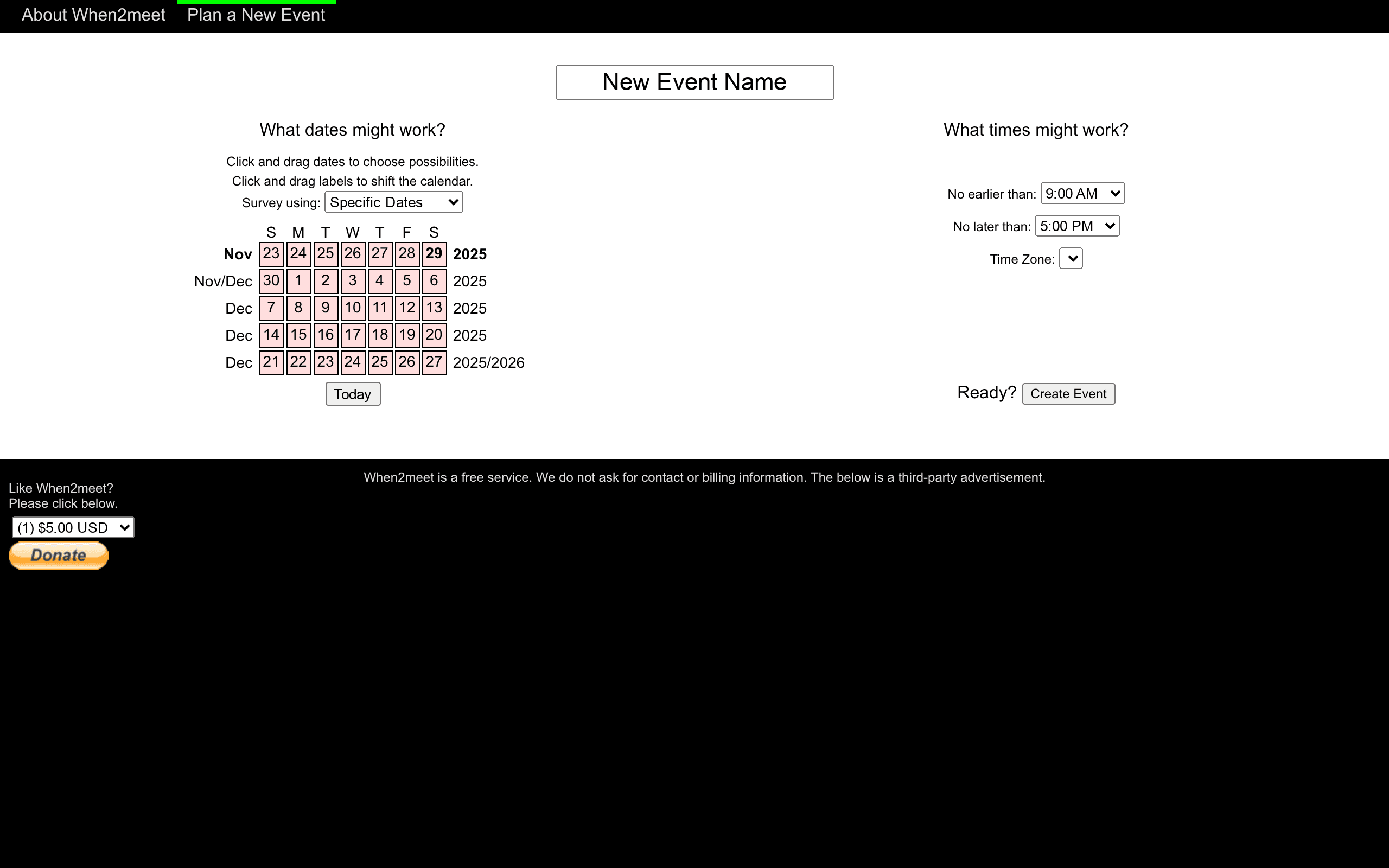
when2meet is a lightweight, no-friction scheduling tool that helps groups find common dates and times quickly. It uses a drag-and-drop calendar interface so participants can mark availability across multiple days or weeks without creating accounts. The service is free to use, with optional modest paid features, but you will encounter third-party advertisements on the site.
Core Features
when2meet centers on a simple calendar grid where organizers define potential dates and participants drag to indicate when they are available. You can select multiple dates, set time ranges with "no earlier than" and "no later than" bounds, and run events that span days or months. The tool supports time zones at the event level and doesn’t require contact or billing information to participate, keeping the process fast and accessible.
Pros
- Free and registration-free: Users can create and join polls without signing up, which speeds adoption and lowers the barrier for casual groups.
- Intuitive drag-and-drop calendar: The visual interface makes it easy to mark availability and scan for overlaps, reducing back-and-forth messages.
- Flexible date and time selection: You can propose multiple days and set specific time windows so the poll matches realistic availability patterns.
- Suitable for multi-day planning: when2meet handles events that stretch across weeks or months, which helps for vacations, retreats, and multi-session meetups.
- Clear instructions provided: The site includes guidance for organizers and participants so first-time users can get started with minimal confusion.
Cons
- Third-party advertisements may distract users: Ads are present on the site and can draw attention away from the scheduling grid during planning.
- No advanced conflict detection: The tool does not automatically resolve complex conflicts or suggest optimal slots based on weighted preferences.
- Limited notification customization: There are few built-in options for automated reminders or tailored notifications to participants.
Who It's For
when2meet is ideal for individuals, families, social groups, and small teams who need a fast, low-friction way to compare schedules without account creation. If you want a straightforward way to spot overlapping free times across a dozen people or less, and you value speed over bells and whistles, this is a solid choice.
Unique Value Proposition
when2meet’s core strength is its simplicity: it removes signup friction and presents availability visually, which accelerates consensus for multi-day and multi-participant events. That clarity—combined with free access—makes it especially useful for organizers who prioritize ease of use and quick results.
Real World Use Case
A project team uses when2meet to plan a week-long series of check-ins. The organizer posts a range of dates, team members mark their available windows over several weeks, and the group quickly identifies the single day and time that fits most schedules without lengthy email chains.
Pricing
Free to use with optional paid features; sample paid options listed by the site include modest one-time amounts such as $5, $10, or $20 USD.
Website: https://when2meet.com
Rallly
At a Glance
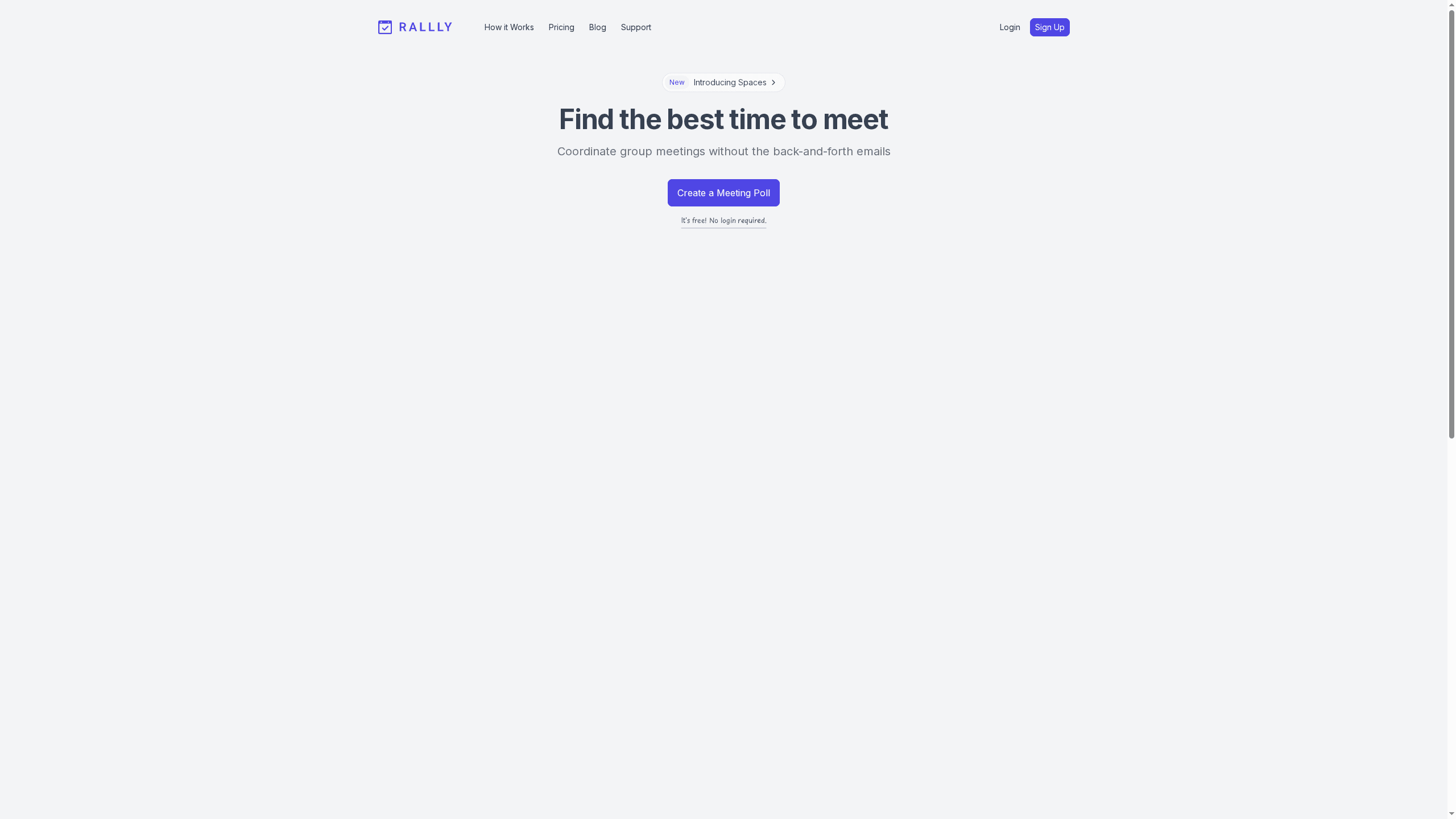
Rallly is a straightforward, free scheduling tool that lets you create group polls without forcing signups, which speeds up coordination and reduces email back-and-forth. With support for multiple languages and automatic cleanup of inactive polls, it’s built for simplicity and low maintenance. It’s especially useful when you need a quick consensus across casual groups or organized teams. Bottom line: fast, frictionless scheduling for groups that value ease over deep customization.
Core Features
Rallly allows anyone to create or participate in scheduling polls without a login, lowering the barrier for busy participants. It supports multiple languages so diverse groups can interact comfortably, and polls are automatically deleted after a period of inactivity to keep things tidy. There’s an option to upgrade to paid plans for extra capabilities, and the platform can handle both organizational scheduling and casual meetups. The product also cites a substantial user base—over 120,000 registered users and 300,000 polls created—reflecting real-world adoption.
Pros
- No login required: Creating and joining polls without accounts eliminates friction and gets responses faster.
- Free core functionality: The core scheduling features are available at no cost, which makes Rallly a go-to for budget-conscious groups.
- Scales to large groups: It supports large groups and multiple polls, which suits teams and community events that involve many participants.
- Easy setup and management: Setting up a poll is quick and straightforward, so organizers spend less time administrating schedules.
- Automatic cleanup of inactive polls: Auto-deletion keeps your workspace uncluttered and reduces the need for manual housekeeping.
Cons
- Some advanced features require payment: If you need more advanced options, you’ll have to move to a paid plan, which limits the free tier’s long-term flexibility.
- Inactive polls are deleted unless upgraded: Polls that become inactive are removed automatically unless you opt into a paid plan, which can be problematic for long-range planning.
- Limited customization in the free version: The free tier offers fewer customization options, so organizers wanting detailed controls may find the experience restrictive.
Who It's For
Rallly is ideal for casual users, small to mid-sized professional teams, community organizers, and anyone who needs a fast, low-friction way to find common meeting times. If you coordinate family gatherings, volunteer groups, or recurring project check-ins and value speed over granular control, Rallly fits well.
Unique Value Proposition
Rallly’s core advantage is its frictionless approach: no login required, multilingual support, and automatic poll lifecycle management combine to make rapid consensus possible without administrative overhead. For groups that just need to agree on a time quickly, that simplicity is the product’s strongest selling point.
Real World Use Case
A project team uses Rallly to identify the best time for a weekly update meeting. Instead of long email threads, the organizer posts a poll, participants mark availability, and the team locks in a slot within hours—saving time and reducing scheduling confusion.
Pricing
Free forever for core features, with optional paid upgrades available on a monthly or yearly basis for additional functionality.
Website: https://rallly.co
Morty
At a Glance
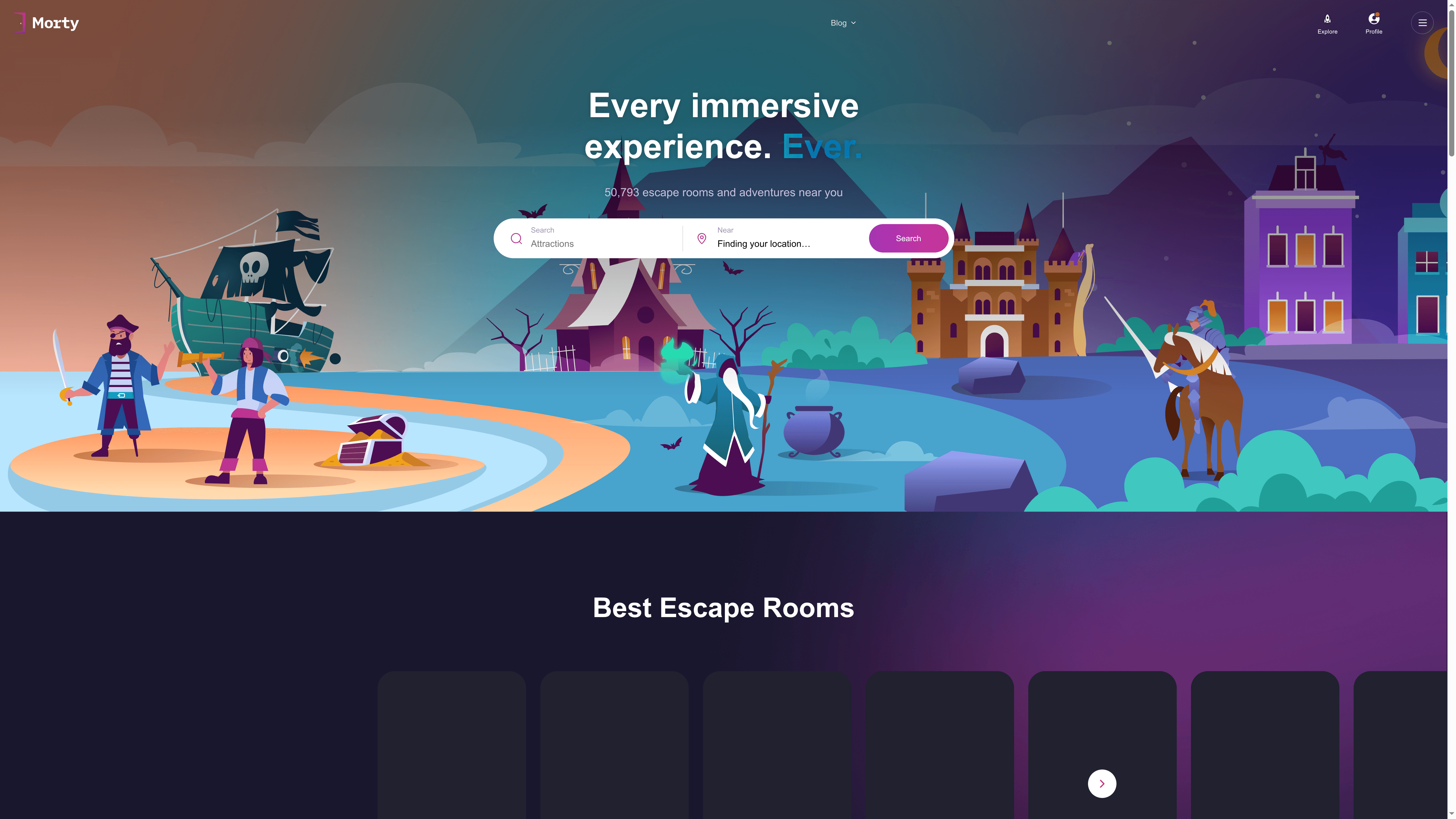
Morty is a discovery and booking platform focused on escape rooms and haunted attractions, backed by a large community of logged experiences and reviews. It aggregates more than 50,000 experiences across over 1,000 cities, helping you find immersive activities whether you’re local or traveling. Bottom line: Morty excels as a research and planning hub for adventure seekers, though some gaps in detail and booking transparency mean you may still need to confirm specifics with the venue.
Core Features
Morty lets you search for escape rooms and haunted houses near your location, explore community-submitted experiences with ratings and reviews, and discover options across more than 1,000 cities worldwide. The app claims to support booking and planning via the platform and supplies FAQs to guide newcomers about what to expect from immersive attractions. In short, Morty combines discovery, community insight, and booking intent into a single place designed for people who love live-action entertainment.
Pros
- Massive experience database: With over 50,000 entries, Morty gives you an unusually broad pool of options to discover, increasing the chance of finding something unique.
- Community-driven recommendations: Ratings and reviews from real visitors help you separate overrated attractions from genuinely memorable ones.
- Global coverage: Listings span Canada, the US, and Europe and extend to more than 1,000 cities, which is useful when you’re traveling or scouting new destinations.
- Beginner-friendly guidance: The included FAQs help first-timers understand what to expect at escape rooms and haunted houses, reducing anxiety before you book.
- One-stop planning aim: Morty’s combination of discovery and booking intent simplifies the workflow of finding and reserving an activity in a single interface.
Cons
- Limited detail on individual listings: The site provides less in-depth information per attraction than some users will want, which means you may need to research times, difficulty, or accessibility elsewhere.
- Unclear real-time availability and booking reliability: The content hints there may be limited or uncertain real-time booking through the platform, so availability shown might not always match venue inventory.
- Unknown user interface quality: The app’s interface and user experience aren’t described in the data, so ease of navigation and booking flow remain unverified.
- No pricing or subscription details provided: Without clear pricing or subscription information, it’s hard to judge value or plan costs ahead of time.
Who It's For
Morty is best for adventure seekers, families, and travelers who want community-vetted entertainment ideas and a way to plan group outings. If you love escape rooms, haunted attractions, or trying immersive experiences in new cities, Morty will speed up discovery and initial planning.
Unique Value Proposition
Morty’s strength is its scale and community focus: a large, user-generated catalog of experiences plus reviews and FAQs means you can find trusted recommendations and basic booking options without combing dozens of websites.
Real World Use Case
A family planning a weekend getaway uses Morty to locate highly rated escape rooms in their destination city, reads several recent reviews to pick an appropriate difficulty level, and then initiates a booking through the app before heading out.
Pricing
Pricing is not specified in the provided content, so you should expect to verify any booking fees or service costs directly within the app or with the venue.
Website: https://morty.app
Scheduling Tools Comparison
This table provides an overview of different scheduling tools, highlighting their features, pros, cons, pricing, and usability to help you choose the best option for your needs.
| Product | Key Features | Pros | Cons | Pricing |
|---|---|---|---|---|
| WhenNot | Inverse scheduling, single shared link, no signups required | Saves time, easy to use, free, secure, versatile | Not suitable for precise time slots | Free |
| Doodle | Polling-style scheduling, branded booking pages, integrations with calendars and video tools | User-friendly, integrates with tools, secure payments, trusted by millions | Limited premium feature details, not for very large enterprises | Free, Premium |
| whenshallwe | Simple event creation, centralizes availability, classic and new event formats | Easy coordination, quick setup, supports various event types | Limited advanced features and pricing info | Not specified |
| whenshouldwe | Vote-based scheduler, no registration required, simple interface | Easy to use, efficient date finding, no registration needed | Limited functionalities, potential privacy concerns | Free |
| when2meet | Drag-and-drop calendar interface, free and no registration, supports multi-day events | Intuitive, flexible, suitable for multi-day planning | Advertisements, no advanced conflict detection | Free, Optional |
| Rallly | No login required, multilingual, automatic poll cleanup | No login needed, free, suitable for large groups, easy setup | Advanced features require payment, inactive polls are deleted unless upgraded | Free, Paid |
| Morty | Escape rooms and haunted attractions discovery, user reviews, global coverage | Large experience database, community-driven, global reach | Limited detail on listings, unclear booking availability | Not specified |
Simplify Your Family Gathering Scheduling with WhenNot
Coordinating multi-day family events can quickly become overwhelming when everyone’s availability is scattered and flexible. The challenge highlighted in "Family Gathering Scheduling Tools – Expert Comparison 2025" centers on effectively managing complex schedules without endless back-and-forth or confusing signups. If you have ever felt the frustration of trying to align busy calendars while keeping everyone engaged and privacy protected, you understand how critical it is to find the easiest, most intuitive solution.
WhenNot transforms scheduling by focusing on when people are not available rather than when they are. This inverse scheduling method lets your family mark only the dates they cannot join, providing a clear visual overview that identifies optimal windows at a glance. No accounts, no sign-ups, and no complicated steps. Just fast, private coordination for gatherings spanning multiple days or flexible dates. For anyone organizing family reunions, WhenNot offers a free, secure, and user-friendly alternative that eliminates communication delays and frustration.
Ready to reclaim your time and reduce scheduling stress? Discover how easy it can be to plan your next family gathering with WhenNot’s simple event setup.
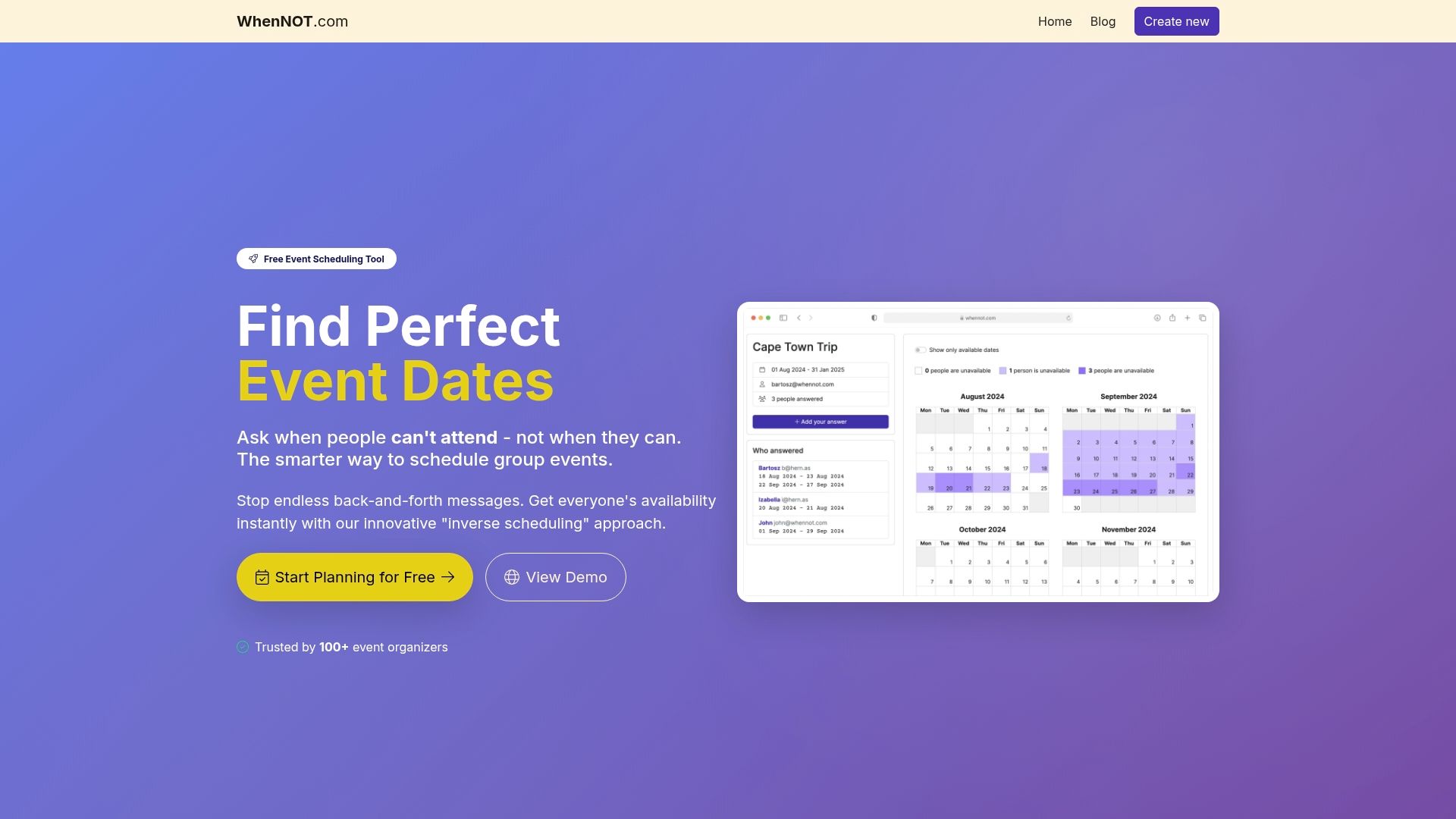
Start simplifying your family's scheduling now. Visit WhenNot to create your event in minutes and share a single link that brings everyone together effortlessly. Don’t wait until the calendar chaos arrives—experience faster, clearer scheduling today.
Frequently Asked Questions
How can I choose the right family gathering scheduling tool?
Selecting the right scheduling tool depends on your family's size, the event duration, and ease of use. Start by assessing your family's preferences for technology and complexity; then look for tools that streamline availability marking without sign-ups.
What features should I look for in a family gathering scheduling tool?
Key features to prioritize include the ability to propose multiple dates, gather responses quickly, and ensure privacy. Evaluate tools based on their ease of use, whether they require registration for participants, and how clearly they present availability options.
How can scheduling tools improve the planning of family gatherings?
Scheduling tools can significantly reduce the back-and-forth communication that often complicates date selections. Use a scheduling tool to visualize everyone's availability, which can help you make decisions faster and finalize plans in a single session.
Are there any scheduling tools that don’t require participants to create accounts?
Yes, many scheduling tools allow participants to respond without registering, which can facilitate quicker participation. Look for tools that emphasize simplicity and anonymity to maximize your family's engagement without extra friction.
How long in advance should I schedule a family gathering?
It's best to schedule family gatherings at least a few weeks in advance to ensure everyone can participate. Aim for a timeframe of 2 to 4 weeks prior, which gives family members adequate notice to adjust their plans.
Can I use a scheduling tool for recurring family gatherings?
Absolutely! Many tools can handle both one-off events and recurring gatherings by allowing you to set up multiple dates. Choose a tool that provides clarity on participant availability for each session to keep ongoing planning smooth.